Wordpress
If your site brings in clients and revenue, you cannot leave it to run on its own.
WordPress support and continuous improvement means your site is constantly updated, protected, and refined — without you spending time and energy on it.
Why long-term support matters in the first place
Most site owners only notice a problem when something has already broken: a form stops sending enquiries, a page will not load, hackers flood the site with spam, or paid traffic lands on a slow page.
This is usually the result of “we built the site and moved on”, with no structured maintenance behind it.
What long-term support gives you:
A site that keeps working reliably, even as everything around it changes: WordPress, plugins, browsers, security requirements.
You do not lose enquiries, orders, or traffic because of small but critical bugs.
Your site does not turn into a “slow dinosaur” that puts people off before they even see your offer.
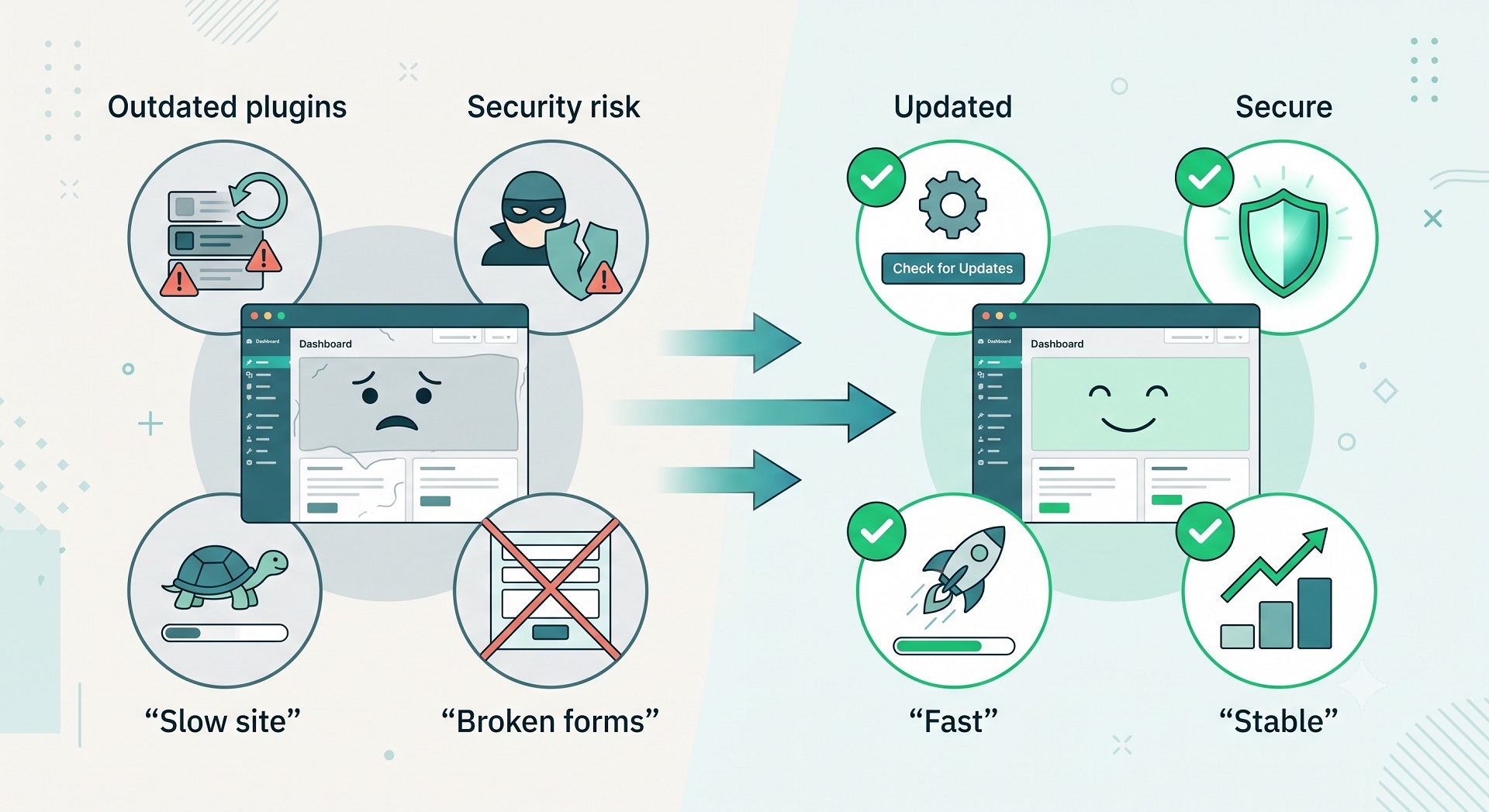
In practice, support is insurance plus growth: we do not only protect the site from problems, but also steadily increase its value to the business.
What I actually do each month
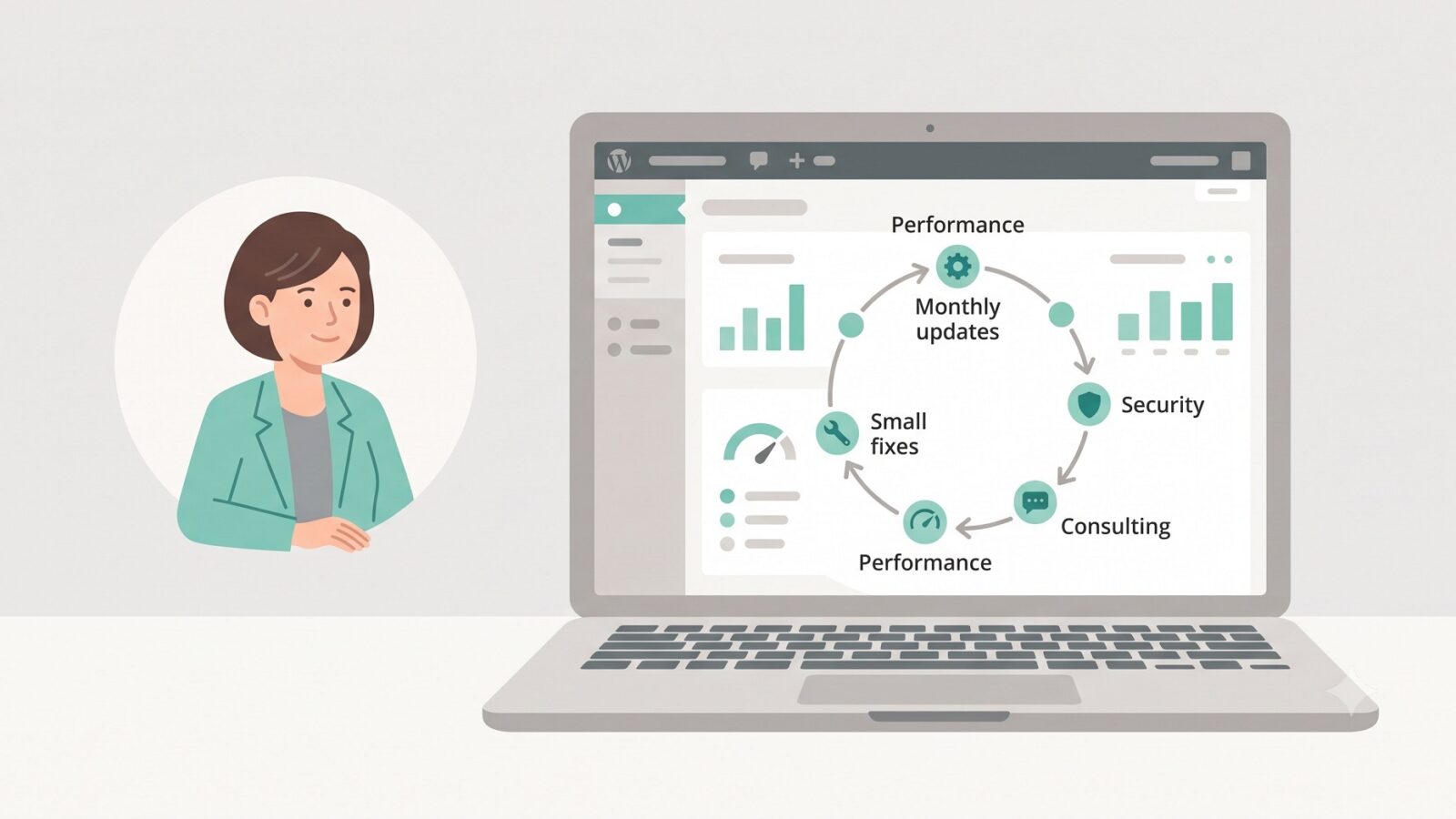
To keep this concrete, here is what a typical month of support looks like on my long-term projects.
1. Technical security and stability
Regular updates to WordPress core, themes, and plugins, with prior testing so nothing breaks in production.
Configured backups that can be restored quickly if something goes wrong — for example, after a failed update or an attack.
Vulnerability scans and monitoring for suspicious activity, so we are not waiting for hackers to leave a “surprise” on the site.
For the business owner, the result is fewer risks, fewer emergencies, and less lost revenue.
2. Speed and performance
Image optimisation, caching, database cleanup, and removal of heavy or unnecessary plugins.
Speed checks on key pages (homepage, landing page, service page, enquiry form) and targeted improvements.
This directly affects conversion: a fast site generates more enquiries from the same traffic; a slow one drives people away before they buy.
3. UX improvements and small fixes
Small but important fixes: block alignment, forms, navigation, mobile responsiveness.
Simplifying key flows: shorter forms, more visible CTAs, clearer page structure.
As a result, people find what they need faster, get less confused, and are more likely to submit an enquiry or make a purchase.
4. Consultation and support for the business owner
Answers to questions like “how is it best to implement this?” or “does this idea make sense?” from both a technical and UX perspective.
Suggestions on what to improve next, so the site delivers more results without a major redesign.

You get not just a “technical contractor”, but a partner who thinks in terms of outcomes: traffic, enquiries, sales.
How ongoing support differs from a one-off build
A one-off build gives you a starting version of the site — current “at launch”.
A few months later without support, it is already less secure, less fast, and less aligned with how your audience behaves.
A one-off site
Gets updated chaotically, only when something has already broken.
Has no one systematically watching speed, conversions, or UX.
Requires changes to be rebuilt from scratch, often turning into an expensive redesign.
A site on ongoing support
Is updated on a regular schedule (backup → test → update → verify), not only when something hurts.
Receives constant small improvements that compound into meaningful growth in results.
Evolves with the business: new services, promotions, and products do not require reinventing everything from scratch.
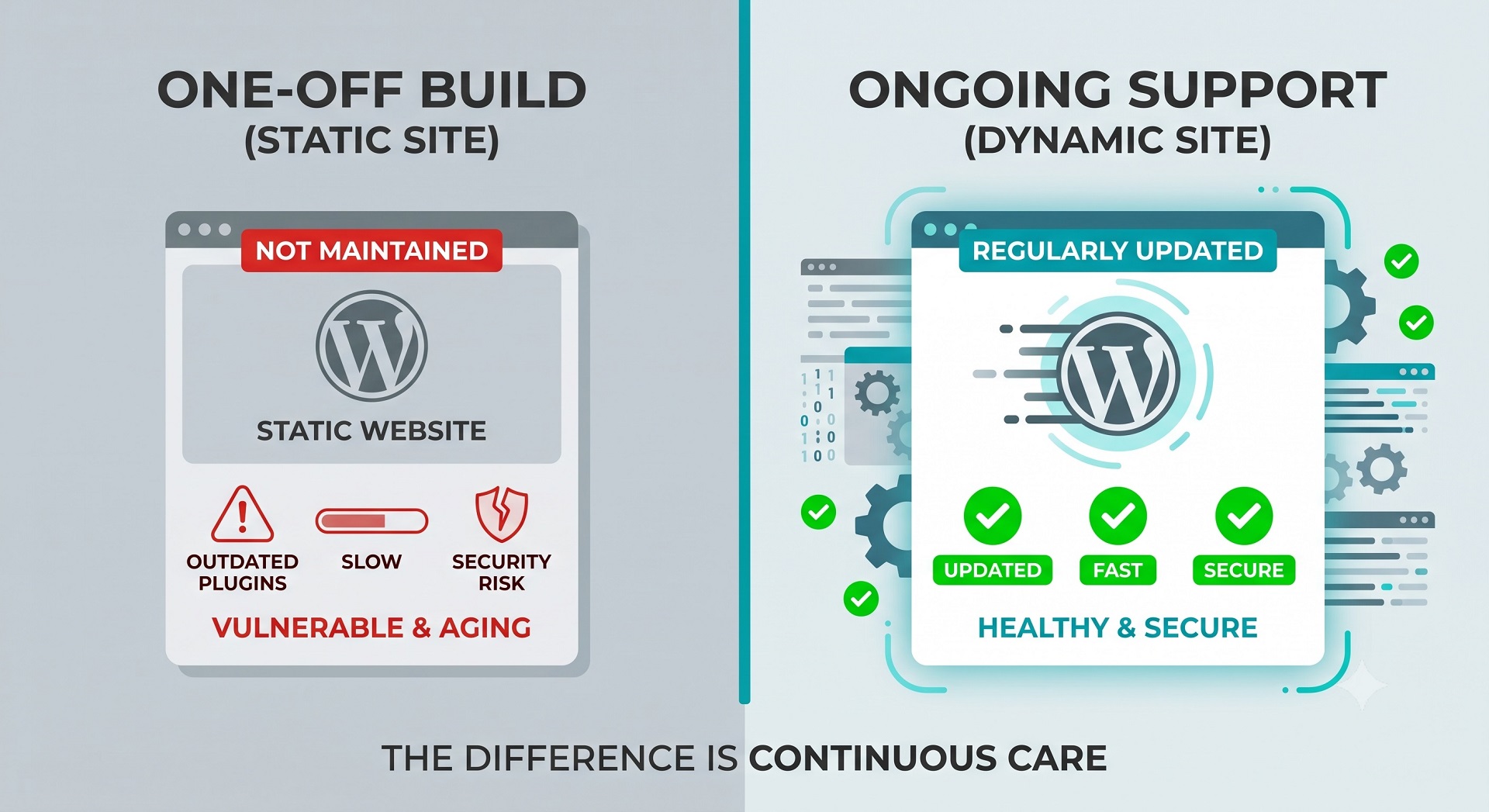
If the site is a working sales tool, the “build it and forget it” model simply does not pay off.
What you get when I manage your WordPress project
In essence, you are not buying hours of work — you are buying peace of mind and growth.
You get:
A stable site that does not go down at the worst possible moment.
Protection from typical WordPress problems: hacks, plugin conflicts, the “white screen” after an update.
Faster pages and a better user experience, which directly affects conversions.
Steady incremental improvements to design and UX, without expensive redesigns every year.
Someone you can delegate to with “something is wrong with the site” or “how do we do this?” — without diving into technical details yourself.
As an example: instead of spending your budget on one big redesign in a year, we make small monthly improvements that deliver results now.
When it makes sense to consider ongoing support
Support is especially logical if:
The site generates real enquiries, sales, or leads.
You do not have an in-house WordPress specialist, and your priorities lie elsewhere than “sitting in the admin panel”.
You want to grow by optimising what you already have, not only by launching new campaigns and new sites.
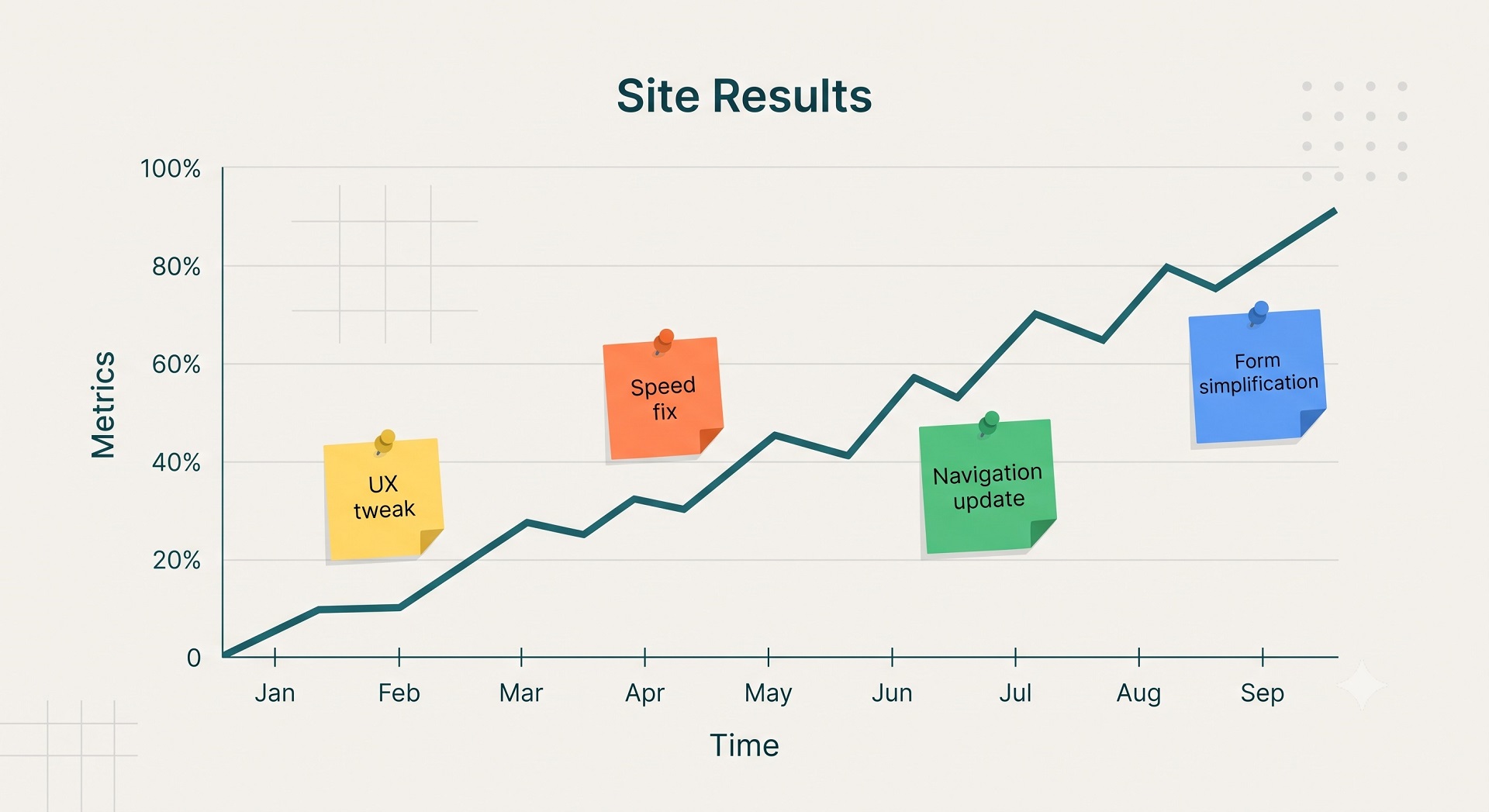
In that case, long-term support is one of the most effective investments: it protects what already works and increases its results without inflating project budgets.


FAQ
Common questions about WordPress project work and ongoing support.
How is ongoing WordPress support different from a one‑off build?
A one‑off build gives you a site that’s current on launch day and then slowly ages. Without support, updates, browser changes and new security requirements accumulate until something breaks or slows down. Ongoing support keeps the site maintained, secure and gradually improved instead of forcing you into big, expensive redesigns every few years.
What does a typical month of WordPress support include?
A typical month includes a health check on the site (speed, errors, security), core/theme/plugin updates with testing, fixing small bugs in forms, layout or integrations, one or two UX or performance tweaks on key pages, and a short summary of what was done and what’s worth improving next. It’s a recurring cycle, not random tasks.
Are big new features or a full redesign included in support?
Usually, no. Ongoing support focuses on maintenance, small fixes and incremental UX, speed and security improvements — things that are safe to do regularly. Large features, complex integrations or a full redesign are separate projects with their own scope and budget. Support helps you see when a bigger project is really needed and when smaller improvements are enough.
How often should WordPress, themes and plugins be updated?
For most business sites, a monthly update cycle is a good baseline, and mission‑critical sites may need checks more often. That way you get security fixes and compatibility updates without risking a “mass update” that breaks the site. The important thing is not just clicking “Update all”, but testing changes and having backups and staging in place.
Does ongoing support take care of website security?
Yes, security is a core part of long‑term support. It covers regular updates, backup setup and checks, monitoring for suspicious activity, reviewing user roles and access, basic hardening and responding quickly if something does go wrong. The goal is to reduce the chance of incidents, not just to clean up after them.
Can ongoing support improve SEO and conversions?
Indirectly, yes. A fast, stable, secure site with working forms and clear UX tends to perform better: higher positions in search, fewer bounces and more conversions from the same traffic. Regular performance work, checking key forms and small UX changes all influence how users and search engines rate your site.
What kinds of WordPress sites do you work with?
I work with business WordPress sites, WooCommerce stores, and projects that need to grow step by step — without unnecessary complexity or fragile solutions. This includes both new launches and existing sites that need refinements, support, or careful technical updates.
Can you improve an existing site without a full redesign?
Yes. Most tasks involve sites that are already live: new sections, functional improvements, WooCommerce changes, performance optimisation, or technical fixes. The goal is for the site to stay stable, manageable, and easy to develop further.
What types of tasks do you take on most often?
Most often this is custom WordPress development, Figma design implementation, WooCommerce refinements, support for live sites, fixing technical issues, and practical improvements over time. In selected scenarios I also help with light AI automations for content, enquiries, or internal admin workflows.
Do you work on WordPress speed and performance?
Yes. WordPress optimisation usually involves reviewing the theme, plugins, images, fonts, page structure, and the site's overall technical neatness. The aim is not a "magic button", but practical changes that make the site faster and easier to maintain.
Do you use AI when working on WordPress sites?
Yes, but only where it genuinely helps the process. AI works best for content drafts, FAQ or support assistants, enquiry handling, and small automations around an existing WordPress site. The approach is simple: AI should reduce routine work, not complicate the site.
What do I need to prepare to discuss a task or project?
Usually a short description of the site, the task, the desired outcome, and examples or technical constraints if you have them is enough. If the project is already live, it also helps to share the current site or a staging environment — this makes it easier to understand the scope of work.
Can I get in touch not for a new site, but for support or specific improvements?
Yes. I work not only on new builds, but also on live sites that need to be maintained, fixed, and improved gradually. This can include new pages, admin changes, WooCommerce refinements, small UX improvements, or technical maintenance.
Need help with a WordPress project?
If you need custom WordPress development, design implementation, or support for an existing site, I would be happy to review the project.