
Woocommerce
To do this, you can use a plug-in type WooCommerce Checkout Manager.
And you can insert a simple function into the functions.php file of your theme:
<?php add_filter( 'woocommerce_checkout_fields' , 'customize_checkout_fields' );

function customize_checkout_fields( $fields ) {

    return $fields;}?>
In this function, you need to put the identifiers of the fields you want to delete. List of fields:
unset($fields['billing']['billing_first_name']);
unset($fields['billing']['billing_last_name']);
unset($fields['billing']['billing_company']);
unset($fields['billing']['billing_address_1']);
unset($fields['billing']['billing_address_2']);
unset($fields['billing']['billing_city']);
unset($fields['billing']['billing_postcode']);
unset($fields['billing']['billing_country']);
unset($fields['billing']['billing_state']);
unset($fields['billing']['billing_phone']);
unset($fields['order']['order_comments']);
unset($fields['billing']['billing_email']);
unset($fields['account']['account_username']);
unset($fields['account']['account_password']);
unset($fields['account']['account_password-2']);
For example, to remove the “Last Name” field, the function should look like this:
<?php  add_filter( 'woocommerce_checkout_fields' , 'customize_checkout_fields' );
function customize_checkout_fields( $fields ) {

unset($fields['billing']['billing_last_name']);

    return $fields; } ?>

FAQ
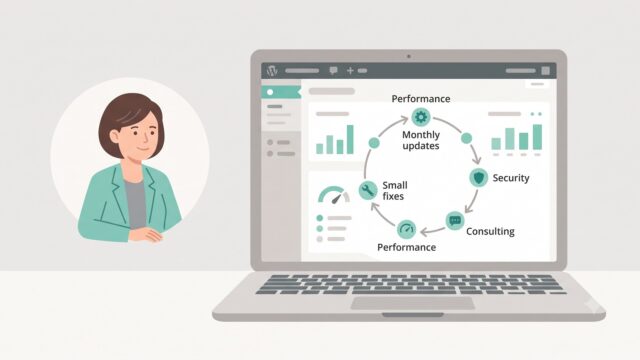
Common questions about WordPress project work and ongoing support.
What kinds of WordPress sites do you work with?
I work with business WordPress sites, WooCommerce stores, and projects that need to grow step by step — without unnecessary complexity or fragile solutions. This includes both new launches and existing sites that need refinements, support, or careful technical updates.
Can you improve an existing site without a full redesign?
Yes. Most tasks involve sites that are already live: new sections, functional improvements, WooCommerce changes, performance optimisation, or technical fixes. The goal is for the site to stay stable, manageable, and easy to develop further.
What types of tasks do you take on most often?
Most often this is custom WordPress development, Figma design implementation, WooCommerce refinements, support for live sites, fixing technical issues, and practical improvements over time. In selected scenarios I also help with light AI automations for content, enquiries, or internal admin workflows.
Do you work on WordPress speed and performance?
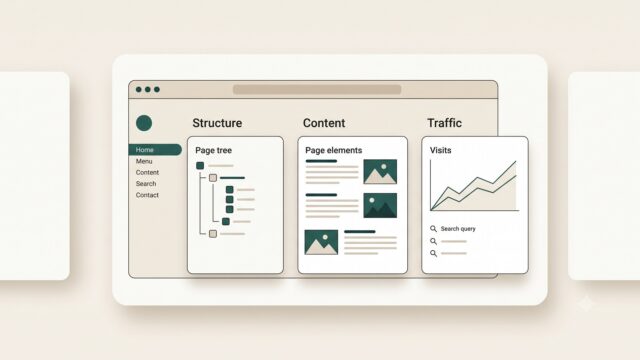
Yes. WordPress optimisation usually involves reviewing the theme, plugins, images, fonts, page structure, and the site's overall technical neatness. The aim is not a "magic button", but practical changes that make the site faster and easier to maintain.
Do you use AI when working on WordPress sites?
Yes, but only where it genuinely helps the process. AI works best for content drafts, FAQ or support assistants, enquiry handling, and small automations around an existing WordPress site. The approach is simple: AI should reduce routine work, not complicate the site.
What do I need to prepare to discuss a task or project?
Usually a short description of the site, the task, the desired outcome, and examples or technical constraints if you have them is enough. If the project is already live, it also helps to share the current site or a staging environment — this makes it easier to understand the scope of work.
Can I get in touch not for a new site, but for support or specific improvements?
Yes. I work not only on new builds, but also on live sites that need to be maintained, fixed, and improved gradually. This can include new pages, admin changes, WooCommerce refinements, small UX improvements, or technical maintenance.
Need help with a WordPress project?
If you need custom WordPress development, design implementation, or support for an existing site, I would be happy to review the project.